XJR
News
Introduction
Discover how Teams integration can revolutionize your LED display conference experience. This guide reveals powerful secrets to seamlessly connect your LED screens, smart speakers, and digital signage with Teams for immersive virtual collaboration. Perfect for IT professionals evaluating conference room tech or executives seeking cutting-edge solutions, these integration strategies will elevate your Zoom and Teams meetings to new heights of interactivity and visual impact.
Why Teams Integration Matters for LED Displays
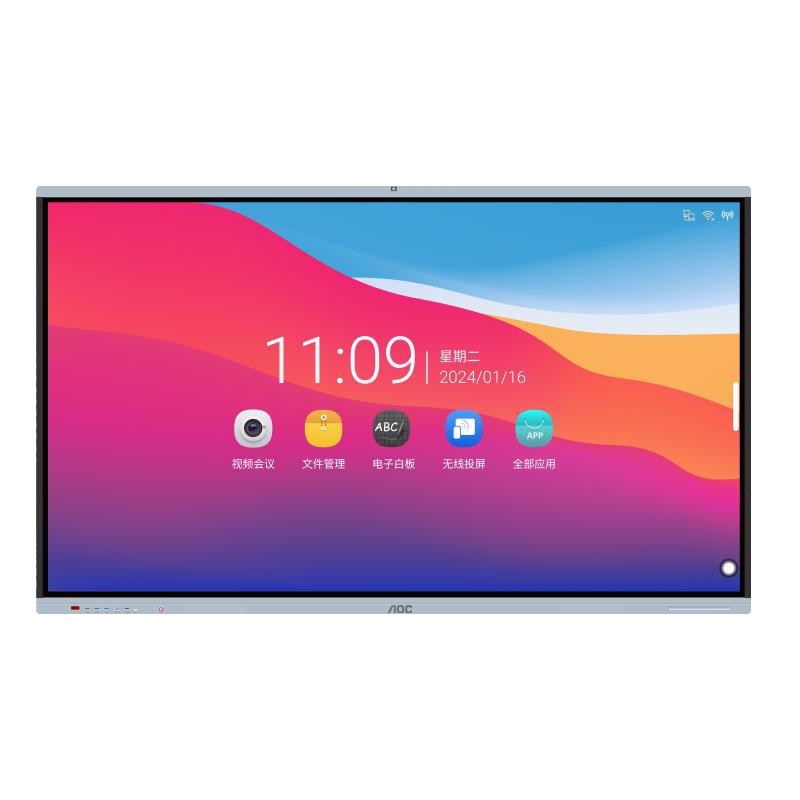
In today's hybrid work environment, the demand for seamless collaboration tools has never been higher. Teams has emerged as a leading platform, but its true potential is unlocked when integrated with high-quality LED displays and digital signage. This combination transforms ordinary meetings into dynamic, engaging experiences. Imagine presenting complex data on a crystal-clear Interactive Flat Panel 65T14MC while remote participants interact with the content in real-time through Teams. The integration allows for synchronized content sharing, multi-user annotation, and even AI-powered meeting transcriptions displayed on your LED screen.
Technical Requirements for Seamless Integration
Achieving flawless Teams integration with your LED display requires careful consideration of several technical factors. First, ensure your LED screen supports HDMI 2.1 or DisplayPort 1.4 for optimal video quality. The display should have a minimum resolution of 4K to maintain clarity during presentations. For audio, smart speakers with beamforming technology can significantly enhance voice pickup and reduce echo. Digital signage integration requires compatible software that can push content directly to your displays through Teams APIs. Many organizations overlook the importance of network bandwidth - we recommend a dedicated 1Gbps connection for 4K video conferencing with multiple participants.
Comparison: Teams vs. Zoom for LED Display Integration
While both platforms offer video conferencing solutions, Teams provides superior integration capabilities for professional LED display setups. Teams supports native integration with Windows devices, offering better control over display settings and resolution scaling. The platform's Direct Routing feature allows for seamless connection between your existing telephony system and LED conference rooms. Zoom, while popular, often requires additional hardware or software bridges for advanced LED display functionality. Teams also offers deeper integration with Office 365 applications, making it ideal for businesses that rely heavily on ecosystem.
Implementation Best Practices
Successful implementation begins with a thorough needs assessment. Determine whether you require single or multiple display setups, the frequency of hybrid meetings, and the types of content you'll be sharing. For large conference rooms, consider a video wall configuration using multiple LED panels synchronized through Teams. The Interactive Flat Panel 65T14MC offers excellent touch responsiveness for collaborative whiteboarding sessions. Always test your setup with various content types before going live - from PowerPoint presentations to 4K video streams. Don't forget to train your staff on the new system's capabilities to maximize adoption and ROI.
Future Trends in Conference Room Technology
The future of LED display integration points toward even more immersive experiences. Emerging technologies like AI-powered automatic camera framing and voice-controlled digital signage are becoming standard features. is continuously enhancing Teams with features specifically designed for large format displays, including dynamic content scaling and multi-stream video. The integration of augmented reality elements into video conferences through LED walls is another exciting development on the horizon. As these technologies mature, businesses that invest in proper integration today will be well-positioned to adopt future innovations seamlessly.
Why Choose Professional Integration Services
While DIY solutions might seem cost-effective initially, professional integration ensures optimal performance and longevity of your investment. Certified technicians understand the nuances of signal routing, audio calibration, and network optimization specific to LED displays. They can also provide valuable insights on room acoustics and lighting conditions that affect your Teams experience. Most importantly, professional services include ongoing support and updates as releases new Teams features. For businesses serious about transforming their conference rooms into cutting-edge collaboration spaces, expert integration is not just an option - it's a necessity.
Awesome! Share to:
Related Posts
- Teams Integration Secrets: Boost Your LED Display Conference Experience
- LED Screen ROI Calculator: Measure Your Conference Room Investment Payback Period
- Interactive Flat Panel Buying Guide: Top 3 Considerations for Tech Evaluators
- How Smart Speakers are Revolutionizing Conference Room Efficiency (Case Studies Included)
- 5 Must-Have LED Display Features for Impactful Digital Signage in Corporate Spaces
XJR

20 years experiences textile machine manufacturer and exporter