XJR
News
Introduction
Choosing the right Interactive Flat Panel for educational settings requires careful evaluation of key technical specifications. This comprehensive guide helps educators, IT professionals, and decision-makers understand what truly matters when comparing Digital signage solutions, LED video walls, Small-pitch LED screens, and OLED transparent screens. Discover how to balance performance, usability, and budget to make informed purchasing decisions for your institution's unique needs.
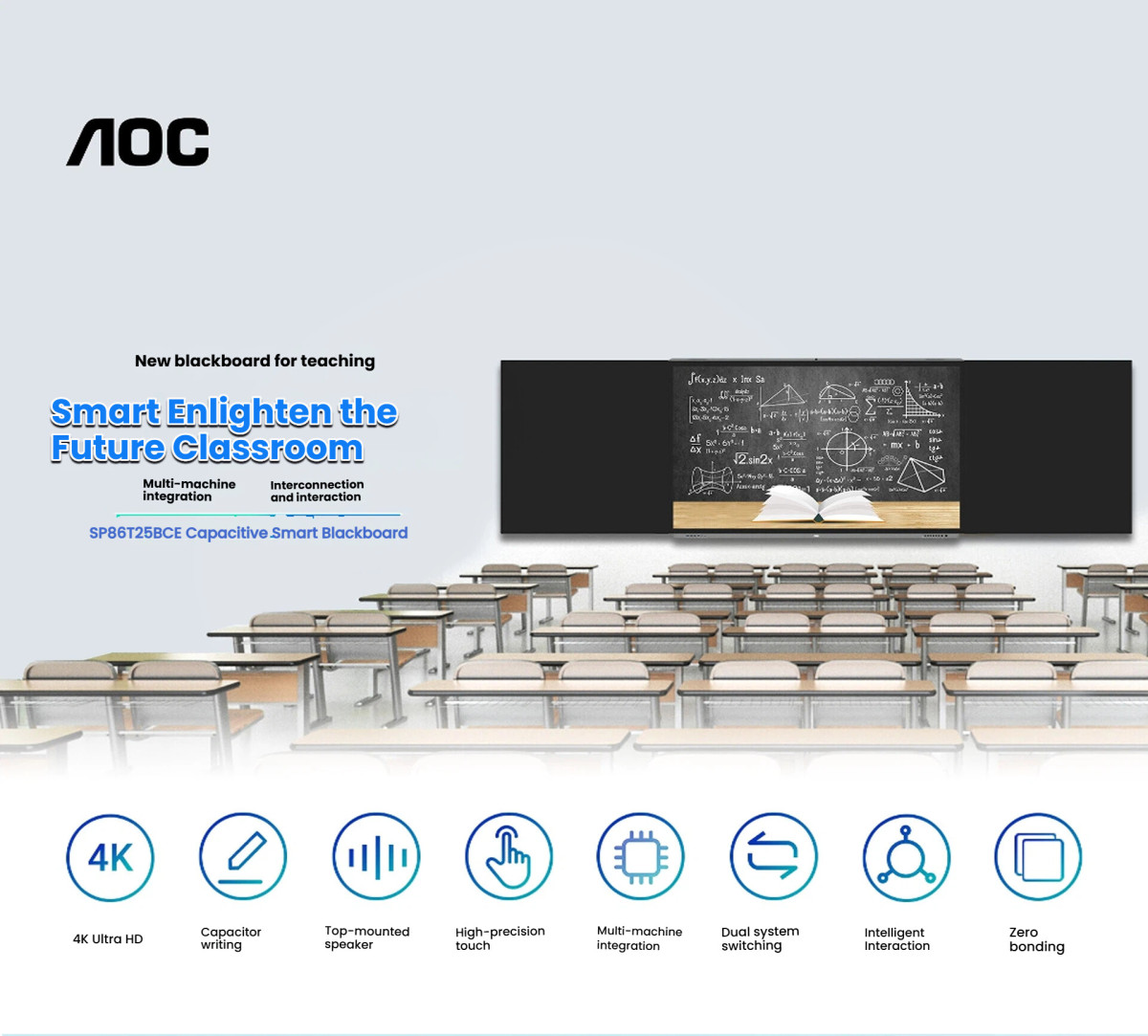
Key Technical Specifications to Consider
When evaluating Interactive Flat Panels for educational environments, several technical specifications play a critical role in determining the right fit. Understanding these parameters ensures that you select a solution that meets both current and future needs.
Display Resolution and Clarity
The resolution of an Interactive Flat Panel directly impacts the clarity and sharpness of displayed content. For educational purposes, a minimum of 4K UHD resolution is recommended to ensure that text, diagrams, and multimedia content are crisp and easily readable from all angles. Higher resolutions, such as 8K, may be beneficial for larger classrooms or specialized applications.
Touch Sensitivity and Responsiveness
Interactive Flat Panels should offer multi-touch capabilities, allowing multiple users to interact with the screen simultaneously. Look for panels with at least 20-point touch sensitivity to accommodate group activities and collaborative learning. The responsiveness of the touch interface is equally important, with a latency of less than 8 milliseconds being ideal for seamless interaction.
Brightness and Anti-Glare Features
Classrooms often have varying lighting conditions, making brightness a crucial factor. A panel with at least 500 nits of brightness ensures visibility even in well-lit rooms. Additionally, anti-glare coatings can significantly reduce reflections, enhancing the viewing experience for students and teachers alike.
Comparing Different Display Technologies
Educational institutions have several display technologies to choose from, each with its own set of advantages and limitations. Understanding these differences can help you make an informed decision.
Interactive Flat Panels vs. Digital Signage
While both Interactive Flat Panels and Digital signage solutions can display dynamic content, the former is specifically designed for interactive use. Digital signage is more suited for one-way communication, such as announcements or advertisements, whereas Interactive Flat Panels facilitate two-way engagement, making them ideal for classrooms.
LED Video Walls and Small-pitch LED Screens
LED video walls and Small-pitch LED screens offer superior brightness and scalability, making them suitable for large auditoriums or outdoor installations. However, they lack the interactive capabilities of Flat Panels and may not be the best choice for typical classroom settings. Small-pitch LEDs, with their tighter pixel spacing, provide better image quality but come at a higher cost.
OLED Transparent Screens
OLED transparent screens are a cutting-edge option that combines transparency with high-quality display capabilities. While they offer unique aesthetic and functional benefits, their high cost and limited availability may make them less practical for widespread educational use.
Usability and Integration Considerations
Beyond technical specifications, usability and integration features are critical for ensuring that Interactive Flat Panels meet the practical needs of educators and students.
Software Compatibility
The panel should be compatible with commonly used educational software, such as Google Classroom, Microsoft Teams, and other learning management systems. Built-in annotation tools and screen-sharing capabilities can further enhance the teaching experience.
Mounting and Mobility
Consider whether the panel will be wall-mounted or placed on a mobile stand. Mobile stands offer flexibility, allowing the panel to be moved between classrooms, while wall-mounted installations provide a more permanent solution. Ensure that the chosen mounting option aligns with your institution's spatial and logistical requirements.
Durability and Maintenance
Educational environments can be demanding, so durability is a key consideration. Look for panels with reinforced glass and robust construction to withstand daily use. Additionally, easy access to maintenance and support services can minimize downtime and ensure long-term reliability.
Budget and ROI Analysis
While cost is always a factor, it's important to consider the return on investment (ROI) when selecting an Interactive Flat Panel. Higher initial costs may be justified by longer lifespans, lower maintenance requirements, and enhanced features that improve teaching outcomes.
Total Cost of Ownership
Evaluate the total cost of ownership, including installation, maintenance, and potential upgrades. Panels with modular designs may offer cost savings over time, as individual components can be replaced without needing to purchase an entirely new system.
Funding and Grants
Many educational institutions can offset costs through grants or funding programs specifically aimed at technology upgrades. Research available options to determine if financial assistance is available for your purchase.
Conclusion and Next Steps
Selecting the right Interactive Flat Panel for your educational institution involves a careful balance of technical specifications, usability, and budget. By considering factors such as display resolution, touch sensitivity, and integration capabilities, you can make an informed decision that meets your unique needs.
For further assistance in evaluating Interactive Flat Panels, Digital signage solutions, LED video walls, Small-pitch LED screens, or OLED transparent screens, contact our team of experts today. We can provide personalized recommendations based on your specific requirements and help you navigate the purchasing process with confidence.
Awesome! Share to:
Related Posts
- Teams Integration Secrets: Boost Your LED Display Conference Experience
- LED Screen ROI Calculator: Measure Your Conference Room Investment Payback Period
- Interactive Flat Panel Buying Guide: Top 3 Considerations for Tech Evaluators
- How Smart Speakers are Revolutionizing Conference Room Efficiency (Case Studies Included)
- 5 Must-Have LED Display Features for Impactful Digital Signage in Corporate Spaces
XJR

20 years experiences textile machine manufacturer and exporter